Jenny Solitaire® - Card Games
- 4.7
- Rating
- 5.00M
- Installs
- Free
- Price

 Analysis by App-foxy
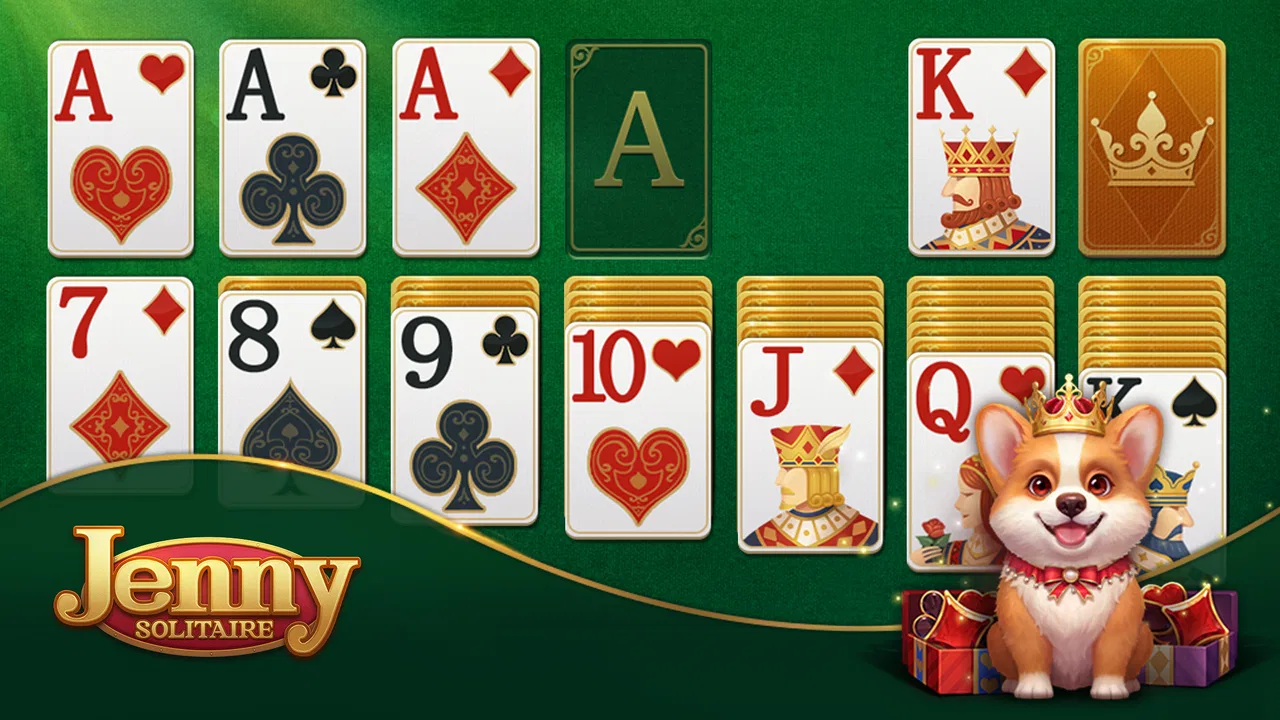
I spent time with Jenny Solitaire® - Card Games as a quiet, traditional card game rather than a flashy collection of distractions. It is built around classic solitaire, with Jenny the corgi and a royal visual theme giving the familiar format a warmer personality. That combination is simple, but it matters: the game feels more inviting than a bare card table, while still keeping the focus on planning each move.
This is a free game from Oakever Games, available for players rated Everyone. It belongs to the card-game category and is a sensible fit for short breaks, relaxed evening play, or anyone who wants a familiar solitaire experience without learning a complicated ruleset. The current release is version 1.52.0 and works on Android 7.0 or later. Optional purchases range from $0.99 to $49.99 per item, so I would approach it as a free download with extras rather than assuming every part of the experience is entirely purchase-free.
How the everyday solitaire workflow feels
The basic routine is easy to settle into. I open a deal, scan the tableau, move cards where they help uncover hidden ones, and keep an eye on the foundations. The appeal is not in a long campaign or a complicated progression system; it is in the small decisions that make a familiar layout feel different from the previous one. A move that looks useful immediately can sometimes block the sequence I actually need later.
You May Also Like

 Blood Strike: 2.5 Anniversary
Blood Strike’s Loadouts Turn Every Drop Into a Tactical Gamble
A close look at Blood Strike’s custom loadouts: how fast access to signature weapons reshapes its battle royale rhythm, rewards preparation, and narrows the gap between fights.

 Pandora - Music & Podcasts
Pandora’s Music Is Easy to Start, but Harder to Recover
Pandora’s strength is its low-effort path from a seed to a station. Its weak spot is how much confidence it asks you to place in connection, setup, and quiet recovery.

 8 Ball Pool
 Is Built on Rivalries, Rematches, and Routine
A close look at the rivalries, rematches, shared routines, and unanswered safety questions that turn a quick pool match into a persistent mobile community.

 Samsung Music
’s Quiet Strength Is Playing What You Already Own
Its reach comes less from spectacle than from dependable access to a personal library. That simplicity is both the app’s strongest retention engine and its ceiling.

 AccuWeather: Weather Radar
AccuWeather Review: A Quick, Clear Forecast for Everyday Decisions
For everyday plans, the best forecast is the one you can understand quickly. AccuWeather makes rain timing, radar, and local conditions easy to act on, with a few trade-offs.

 Hill Climb Racing
Why Hill Climb Racing Still Turns Crashes Into One More Run
A tiny car, a bumpy hill and one more upgrade: Hill Climb Racing keeps resurfacing because its simple chaos makes every near-miss feel personal.
More From Our News Desk



That makes the game particularly comfortable for short sessions. If I have a few minutes while waiting for an appointment or winding down before bed, I can play without having to remember a story, manage a team, or understand a large menu of modes. The royal presentation and Jenny’s presence add character without changing the central rhythm of solitaire.
For a new player, I recommend slowing down during the first few deals instead of tapping quickly through every legal move. Solitaire rewards looking for information. Uncovering a face-down card is often more valuable than making a move that merely places a card in a foundation. I found that treating each deal as a small puzzle, rather than a race, made the game more satisfying and reduced careless mistakes.
A useful everyday scenario is a short commute or a coffee break. I can begin a deal, make a few deliberate moves, and stop without losing the sense that I have made progress. That is where this game is stronger than more demanding card titles: it asks for attention, but not a large uninterrupted block of time.
The small habits that improve a normal deal
My first habit is to inspect all visible moves before committing to one. If two cards can go into the same empty space, I consider which choice preserves the most flexibility. Moving a king into an open column can be helpful, but it can also occupy the only space that might later receive a better sequence. I do not treat every available move as an urgent move.
My second habit is to prioritize hidden information. A move that reveals a face-down card usually gives me more useful knowledge than one that simply shifts an exposed card between columns. This is especially important when several columns are available: I try to build progress that opens the board instead of rearranging the same visible cards repeatedly.
I also watch the stock and waste area carefully. It is tempting to cycle through cards quickly when a needed card does not appear immediately. A better approach is to remember which useful cards have already passed and avoid spending a move just because it is available. That memory-based approach is one of the few ways to make the familiar format feel more strategic on a small screen.
Settings and presentation worth checking
Before settling into longer sessions, I would look through the available settings rather than accepting the initial presentation automatically. On a card game, small comfort choices can affect how long I want to play. I check whether the game offers options that make the cards easier to follow, whether sound can be adjusted, and whether visual effects can be reduced when I want a calmer table. I only use options that are actually present in the installed build, so I would treat this as a practical inspection rather than expecting a fixed list of controls.
The royal atmosphere is part of the game’s identity, but it will not suit everyone equally. I enjoy a little decoration around a classic layout because it makes the app feel less anonymous. If you prefer an ultra-minimal solitaire table with no character framing, this presentation may feel more ornamental than necessary. The right choice depends on whether you see the theme as charm or visual clutter.
I also recommend checking the way cards respond to taps and drags during the first few minutes. Some players naturally prefer dragging a card into place; others want to tap a card and let the game handle the destination. Whichever interaction feels more reliable, using it consistently helps prevent accidental moves. On a phone, a quick tap can be less precise when several legal destinations are close together, so deliberate gestures are worthwhile when the board becomes crowded.
Sound is another setting I would consider for the situation rather than leaving it fixed. In a public place, a quiet presentation keeps the game unobtrusive. At home, gentle feedback can make each placement feel clearer. I would not choose the game for rich audio design, though. Its main pleasure comes from the cards and the decisions, not from an elaborate soundscape.
Faster play without turning every deal into a race
Experienced solitaire players often become faster by recognizing patterns, not by tapping more aggressively. I look first for moves that open a column, expose a hidden card, or create a useful descending sequence. A move that does none of those things may still be correct, but it deserves more scrutiny. This simple filter keeps me from wasting time on attractive but unproductive rearrangements.
Another repeatable habit is to delay foundation moves when placing a card there would remove flexibility from the tableau. In many situations, sending a low card upward feels like obvious progress. Yet that card might still be needed to build a sequence in the columns. I compare the immediate benefit with the possibility of using the card as a bridge. This is a small distinction, but it separates thoughtful play from automatic tapping.
I also try to expose cards from the longest or most restricted columns first. The exact best move depends on the deal, but the principle is consistent: work toward more information and more empty space. When I have a choice between moving a sequence that reveals nothing and moving a smaller group that uncovers a hidden card, I usually choose the second option.
For stock management, I avoid treating the first pass as a search for one perfect move. Instead, I note which cards are blocked by the current order and use the tableau to change what can be reached. If a needed card is buried, making useful column changes before cycling again can turn an unhelpful stock into a workable one. This is a practical skill that the cheerful theme does not advertise, but it makes a noticeable difference.
There is also a psychological advantage to setting a stopping point. If I am playing while tired, I am more likely to make a poor move simply because I want to finish. Solitaire has no obligation to be completed every time. Stopping after a thoughtful attempt is better than turning a relaxing session into frustration. Jenny Solitaire works well as a break precisely because it does not need to become a test of endurance.
Where the game is less suitable
The simplicity that makes this game approachable also limits it. If you want a broad collection of card variants, deep competitive systems, or a strong social component, this is not the first game I would choose. Its identity is centered on classic solitaire, so players looking for constant novelty may find the core loop repetitive after the initial charm fades.
I would also be cautious if you are especially sensitive to optional purchase prompts. The game is free to start, but in-app items are available, with individual prices reaching from $0.99 to $49.99. That does not automatically make the experience poor, but it means I would review each prompt carefully and avoid assuming that a purchase is necessary for ordinary play. Anyone sharing a device with children should also use the usual purchase safeguards.
The Everyone rating makes it broadly approachable, especially for families and casual players. Still, the age label does not tell me whether the visual style will appeal to every adult. Some people want solitaire to look like a plain utility; others enjoy a friendly character and decorative setting. I see the corgi theme as a strength when I want something relaxed, but it is a reason to choose another app if you prefer a strictly functional design.
It is also not the right pick for someone who wants a game to teach every strategic idea from the beginning. The rules are familiar, but improvement comes mostly from playing, observing blocked routes, and learning when not to move. Players who want extensive explanations, formal lessons, or a large analytical toolkit may prefer a more specialized solitaire product.
What the popularity and version details suggest
The game has passed one million installs and holds a 4.7 average from around 272 thousand ratings, with roughly 6.3 thousand written reviews. Those figures suggest that the combination of classic solitaire and the corgi-led presentation has reached a substantial casual audience. I would still treat popularity as a starting point, not a substitute for matching the game to your own preferences.
Its release date was July 3, 2023, and the current version is 1.52.0. For me, the important practical point is that the game is aimed at a reasonably broad range of Android devices because it supports Android 7.0 and later. If you are using an older phone, checking that requirement before installing is worthwhile. On a compatible device, the main question is less about technical ambition and more about whether you enjoy this particular style of solitaire presentation.
Compared with a very plain solitaire app, this one offers more personality through Jenny and the royal atmosphere. Compared with a large card-game collection, it is more focused and easier to understand, but it gives up variety. Compared with competitive solitaire, it is better suited to private, low-pressure play and less suited to players who need rankings or opponents to stay interested. Those trade-offs are clear enough that choosing it becomes straightforward.
How I would recommend using it
I would recommend beginning with a short session in which the goal is simply to understand the board and the controls. Do not judge the game by how quickly the first deal ends. Instead, notice whether the card movement feels comfortable, whether the decorative style is pleasant on your screen, and whether the available settings let you create a quiet setup.
After that, I would use a repeatable routine: scan the tableau, identify moves that reveal information, protect open spaces, and delay foundation placements when they remove useful flexibility. These habits make the game feel more deliberate without adding artificial complexity. They are also portable skills within classic solitaire, so time spent learning them is more valuable than chasing speed alone.
If you are introducing the game to someone who rarely plays cards, explain the purpose of uncovering hidden cards before discussing speed. That single idea helps a beginner understand why an apparently legal move may not be the best one. The friendly theme makes the introduction less intimidating, while the familiar rules keep the learning curve gentle.
For my own use, the best setting is a quiet, repeatable break: a few deals when I want something engaging but not demanding. I would not install it expecting a constantly changing adventure. I would install it because I want a recognizable card puzzle with a warmer look than a generic deck.
My verdict is that Jenny Solitaire® - Card Games is a good choice for relaxed players who want classic solitaire with a distinctive corgi-and-royal presentation. I like its approachable rhythm, its suitability for short sessions, and the way careful habits can add depth to a familiar format. The limits are equally clear: the central game can become repetitive, the theme is not minimalist, and optional purchases mean I would pay attention to prompts.
For a friend who wants a calm card game on a compatible Android device, I would recommend trying it free and judging the first few sessions by comfort rather than by completion rate. If you want variety, competition, or a stripped-down table, another solitaire app may serve you better. If you want a friendly, focused version of a classic that rewards patience and observation, this is one I would keep installed.
FAQs for Jenny Solitaire® - Card Games
01What is Jenny Solitaire® - Card Games?
Jenny Solitaire® - Card Games is a digital card game app offering a variety of solitaire games, including classic Klondike, Spider, and FreeCell. It's designed for both casual players and solitaire enthusiasts, featuring intuitive controls, engaging graphics, and customizable settings to enhance your card-playing experience.
02Is Jenny Solitaire® - Card Games available for both Android and iOS?
Yes, Jenny Solitaire® - Card Games is available for download on both Android and iOS platforms. Users can find the app on the Google Play Store and the Apple App Store, making it accessible to a wide range of smartphone and tablet users.
03Does Jenny Solitaire® - Card Games require an internet connection?
No, Jenny Solitaire® - Card Games does not require an internet connection to play. This makes it an ideal choice for users who want to enjoy their favorite solitaire games offline, whether they're traveling or in areas with limited connectivity.
04Are there any in-app purchases in Jenny Solitaire® - Card Games?
Yes, while Jenny Solitaire® - Card Games is free to download, it offers in-app purchases. These purchases may include features such as ad removal, exclusive card designs, and additional game modes, allowing users to enhance their gameplay experience.
05What are the customizability options in Jenny Solitaire® - Card Games?
Jenny Solitaire® - Card Games provides various customization options, such as different card backs, table designs, and game themes. Users can personalize their gaming experience to suit their preferences, making each session unique and visually appealing.
Pros
- User-friendly interface and controls.
- Includes multiple solitaire variations.
- Daily challenges keep gameplay fresh.
- Offline mode available for travel.
- Visually pleasing graphics and themes.
Cons
- Contains in-app advertisements.
- Limited customization options.
- Occasional performance lags.
- No multiplayer features available.
- Some features require in-app purchases.

Jenny Solitaire® - Card Games
Gallery